PatchVaultMOJO 61 COMPANION APP
The Mojo 61 sounds glorious — but it keeps just two presets for the upper manual and two for the lower, and its single drawbar set serves both manuals. PatchVault shows both manuals on one screen, captures the whole sound as a registration with one tap, and sends it back just as fast.
$24.99 one-time — yours, no subscription · 15-day free trial, full app · Windows 10/11
Two sounds up top, two below — and the registration you just found by accident is gone the moment you touch the drawbars for the other manual. That gap is exactly what PatchVault was built for.
2 presets for the upper manual, 2 for the lower. One physical drawbar set for two manuals: build your lower-manual sound and the upper drawbars leave the panel. Your best registrations live in your memory — or on a sticky note.
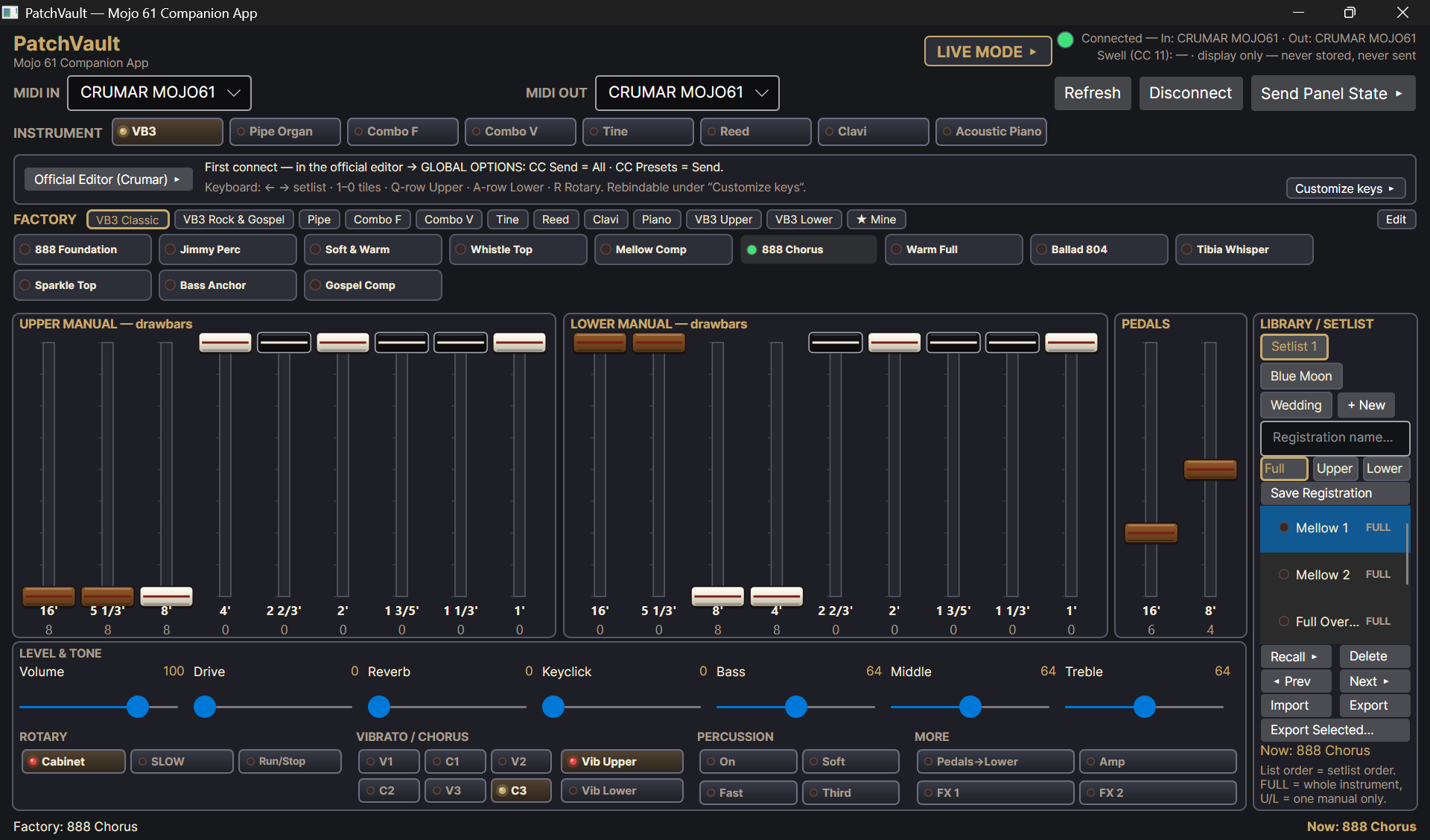
An unlimited registration library on your computer, and both manuals on one screen at the same time. Every sound you find stays: named, sorted, in setlists — one tap and the complete sound is back on the instrument.
Tested on real hardware, against a real Mojo 61 — every feature below works the way the instrument works.
Capture instrument type, both manuals' drawbars, pedals, rotary, vibrato/chorus, percussion and tone — the whole panel state — as one registration tile.
The second drawbar set your Mojo doesn't have. What you pull on the instrument moves on screen, and you can shape the other manual on screen while your hands stay on the keys.
Tap a tile and the complete sound jumps back to the Mojo 61 — type, drawbars, rotary, everything.
48 full registrations plus 14 upper/lower manual presets across all eight instrument types: VB3, Pipe Organ, Combo F, Combo V, Tine, Reed, Clavi and Acoustic Piano.
Your sounds in playing order for the gig or the service. Live Mode blows the drawbars up full-screen with big setlist tiles — step through the night without searching.
Step through setlists, jump straight to a tile, switch the rotary — all from the computer keyboard, with freely remappable keys. Made for players without a touchscreen.
PatchVault remembers your last panel state between sessions — the app wakes up with your organ, exactly where you left it.
Single registrations (.mvreg) and whole libraries (.mvlibrary) — back up your sounds or move them to your second machine.
No account, no subscription, no data collection, no telemetry. PatchVault works fully offline. Your swell pedal is display only — never stored, never sent.
You need your Mojo 61, a Windows PC and a USB cable (USB-B at the instrument — a standard printer-style cable).
Plug the USB cable into the Mojo 61 and the PC, switch the instrument on, start PatchVault. It finds your Mojo automatically.
In Crumar's official editor, set GLOBAL OPTIONS → CC Send = All and CC Presets = Send, so the instrument and the app can talk both ways. Done once — PatchVault reminds you on screen at first connect.
Work the panel, hear your sound, save it as a registration. Later, one tap on the tile brings the whole sound back — or step through your setlist in Live Mode.
Good to know: the Mojo 61 reports its rotary speed only when its own speed switch is touched — so PatchVault marks the tempo honestly with a "?" until either side touches it, and remembers your last panel state between sessions. No guessing, no silent wrong values.
The real app, exactly as it ships — with a Mojo 61 connected.
The library. Both manuals on one screen, the factory registrations above, your own library on the right — one tap on a tile sends the whole sound to the Mojo.
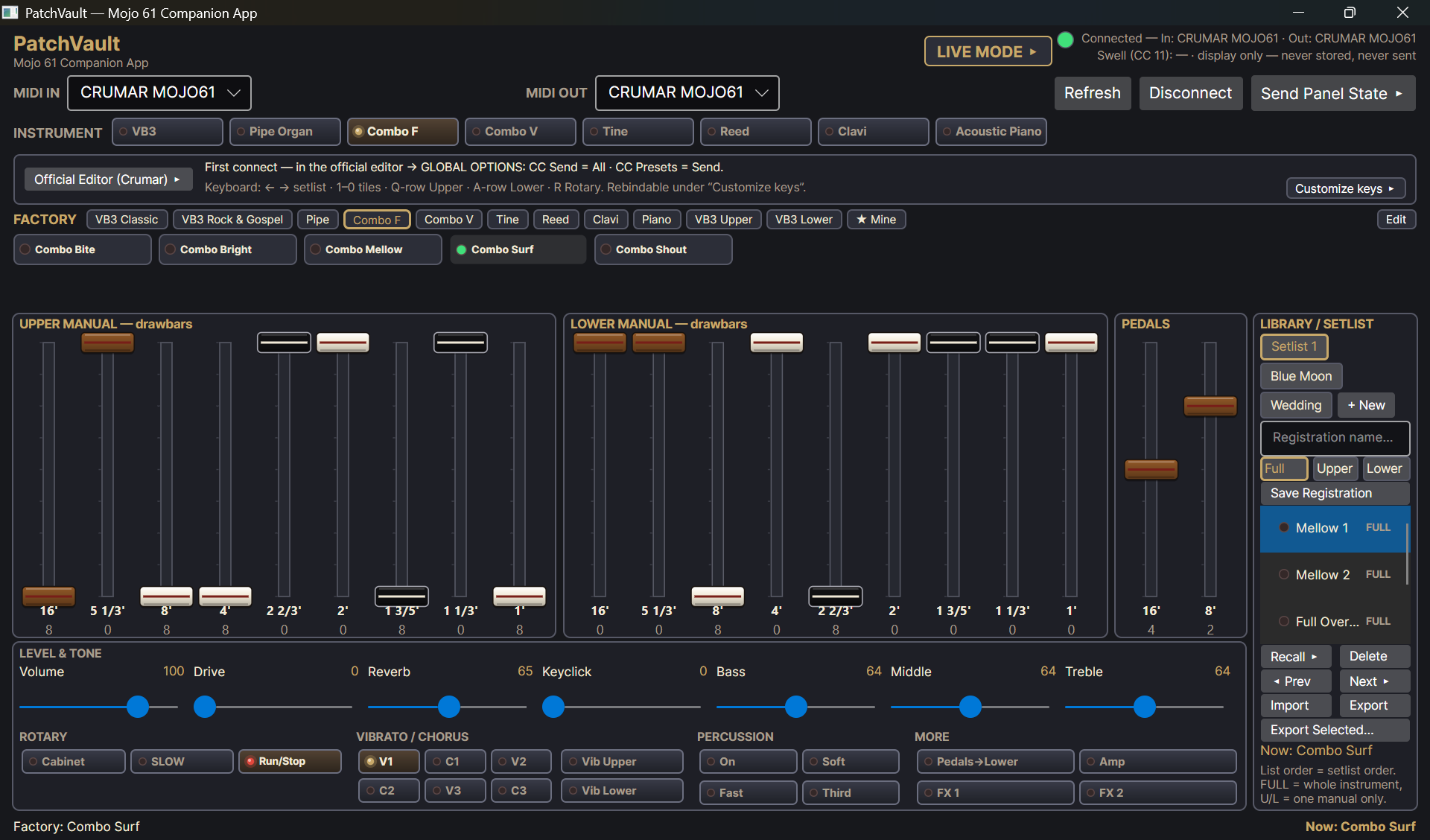
Combo F. One of eight instrument types — every type keeps its own factory registrations and its own drawbar picture.
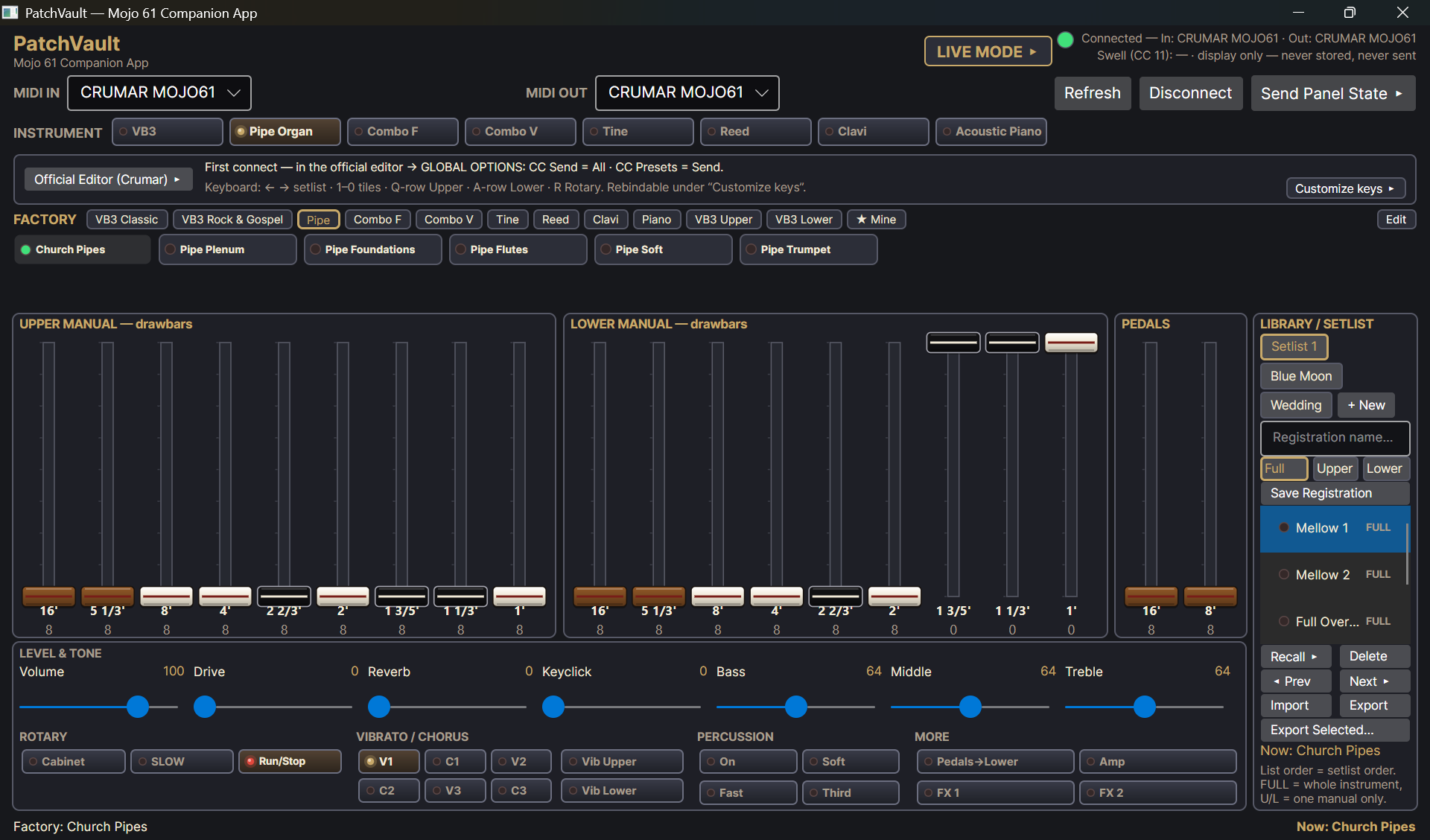
Pipe Organ. Church Pipes, with both manuals drawn out — the lower manual keeps its own drawbars while you play the upper.
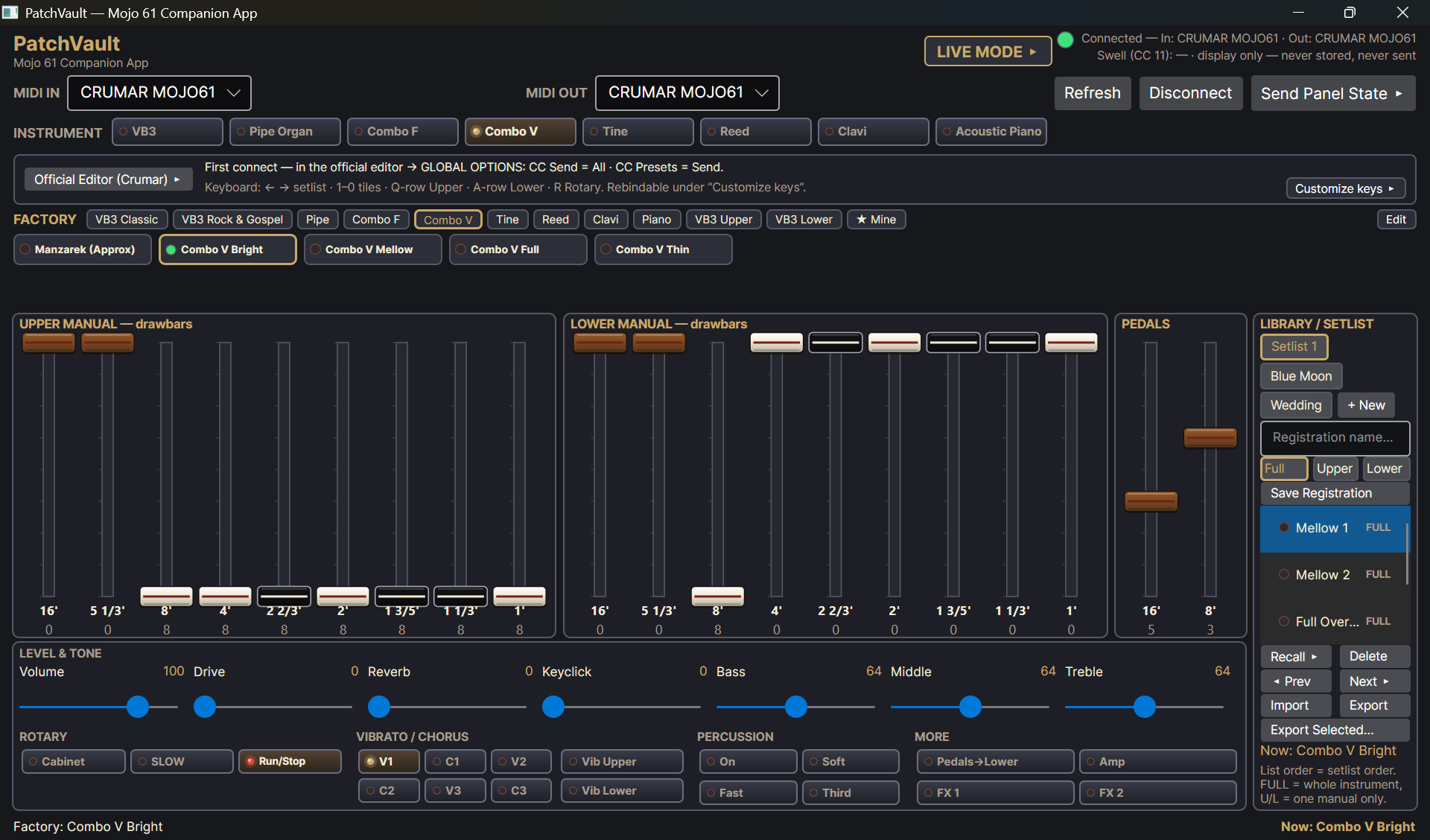
Combo V. Bright and biting — captured, named, and back on the instrument with one tap.
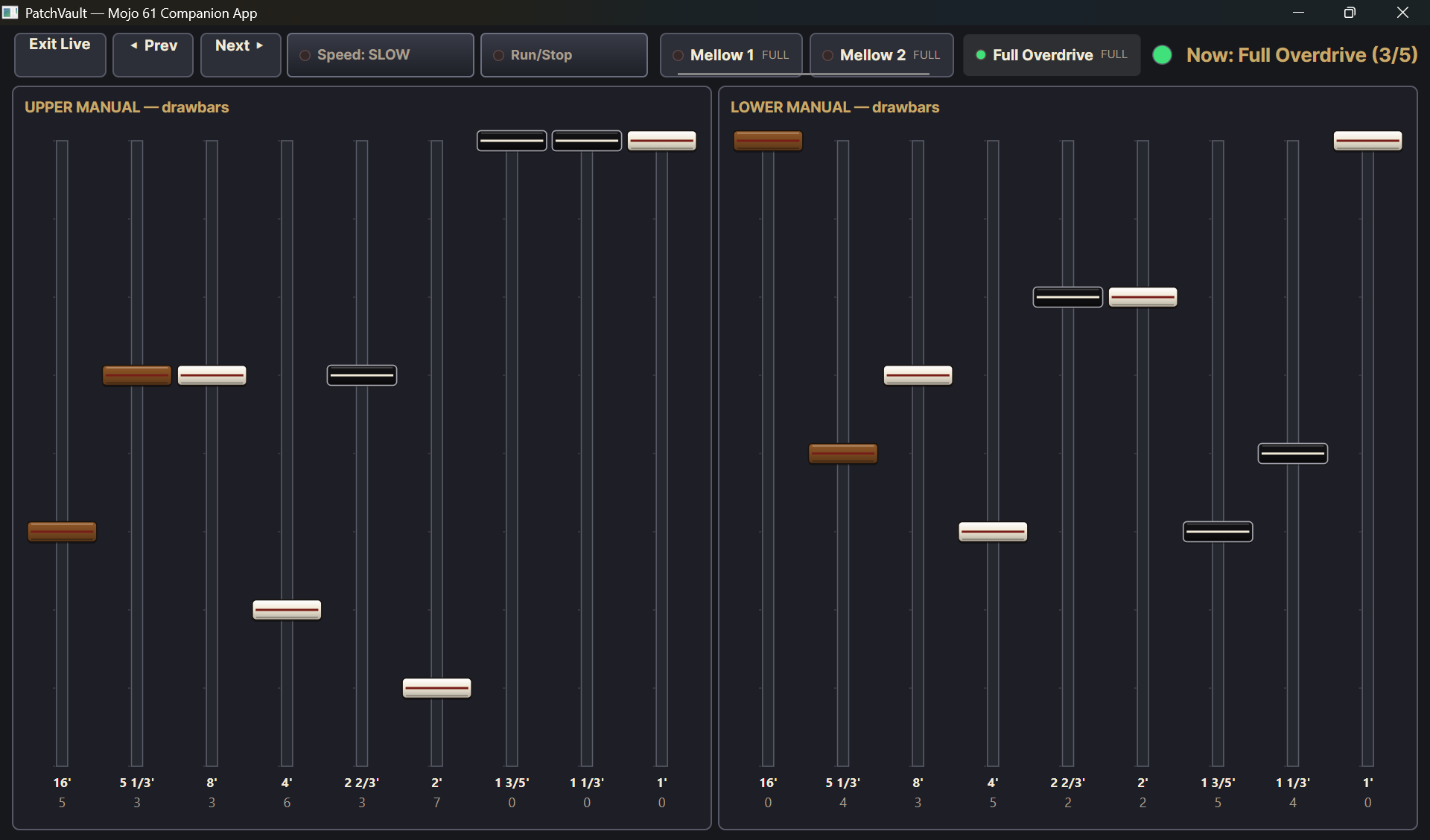
Live Mode. The drawbars go full-screen for the stage: big tiles, Prev and Next, the current sound always in view.
The questions every Mojo 61 player runs into — and how PatchVault answers them.
Internally, no — the instrument keeps exactly two presets for the upper manual and two for the lower. PatchVault gives it an unlimited external registration library on your computer: every sound you capture stays saved and jumps back to the instrument with one tap.
PatchVault shows both manuals on one screen at the same time, live in both directions. You shape the lower manual on screen while the upper drawbars stay exactly where you left them — the second drawbar set your Mojo does not have.
A Crumar Mojo 61, a Windows 10/11 PC and a USB cable (USB-B at the instrument). One-time setup in Crumar's official editor: CC Send = All and CC Presets = Send. No drivers, no account, no internet — fully offline.
Never. The swell pedal is display only — not stored and not sent. Registrations capture the panel: instrument type, drawbars, rotary, vibrato/chorus, percussion and tone.
$24.99 one-time, no subscription. The Microsoft Store offers a 15-day free trial of the full app.
PatchVault began with the M-solo — the same idea for a different instrument: an unlimited library where the hardware keeps only a handful of sounds.