PatchVaultM-SOLO COMPANION APP
The M-solo is a joy to play — until you need your fourth sound. PatchVault mirrors the panel live on your computer, captures the whole sound as a preset with one tap, and sends it back to the instrument just as fast.
$24.99 one-time — yours, no subscription · 15-day free trial, full app · Windows 10/11
One patch for the organ, one for the gig — and the drawbar setting you just found by accident is gone the moment you touch anything. That gap is exactly what PatchVault was built for.
3 internal patch slots. Every new sound overwrites an old one. Your best registrations live in your memory — or on a sticky note.
An unlimited preset library on your computer. Every sound you find stays: named, sorted, in setlists — one tap and the complete sound is back on the instrument.
Tested on real hardware, against a real M-solo — every feature below works the way the instrument works.
Capture instrument type, drawbars, Leslie, percussion, vibrato, effects — the whole panel state — as one preset tile.
What you pull on the instrument moves on screen, and the other way around. LEDs and controls always show the real state.
Tap a tile and the complete sound jumps back to your M-solo — type, drawbars, Leslie, everything.
Researched from classic registrations for all six instrument types: B-3, Vx, Farf, Ace, Ens and Syn.
Your sounds in playing order for the gig or the service — one tap per song, no searching under pressure.
Guarded random discoveries for Ensemble and Synth. Happy accidents, auditioned by ear — keep the ones you love.
Single presets (.pvpatch) and whole libraries (.pvlibrary) — back up your sounds or move them to your second machine.
The expression pedal is never stored and never sent. PatchVault recalls the panel — your playing stays yours.
No account, no subscription, no data collection, no telemetry. PatchVault works fully offline, in English, Spanish, German, Italian and French.
You need your M-solo, a Windows PC and a USB cable (USB-B at the instrument — a standard printer-style cable).
Plug the USB cable into the M-solo and the PC, switch the instrument on, start PatchVault. It finds your M-solo automatically.
On the M-solo, Generic Control must be OFF so the panel can send its settings. Four presses, done once — the guide walks you through it.
Work the panel, hear your sound, save it as a preset. Later, one tap on the tile brings the whole sound back.
Good to know: the M-solo listens on MIDI channel 1 from the factory, and PatchVault is set to match. If you never changed your instrument's channel, you never need to touch that setting.
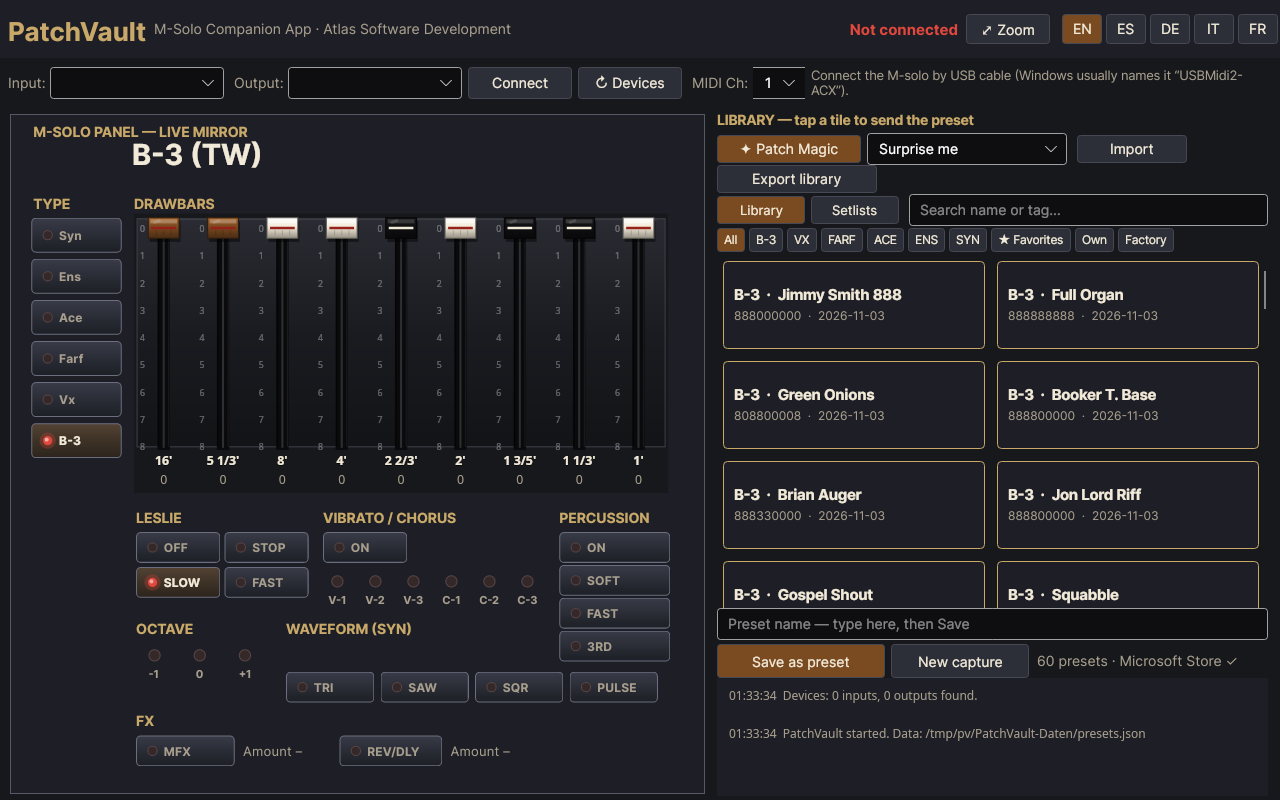
The real app, exactly as it ships — factory library loaded, shown here before an M-solo is connected.
The library. The live panel mirror on the left, your preset tiles on the right — one tap on a tile sends the whole sound to the M-solo.
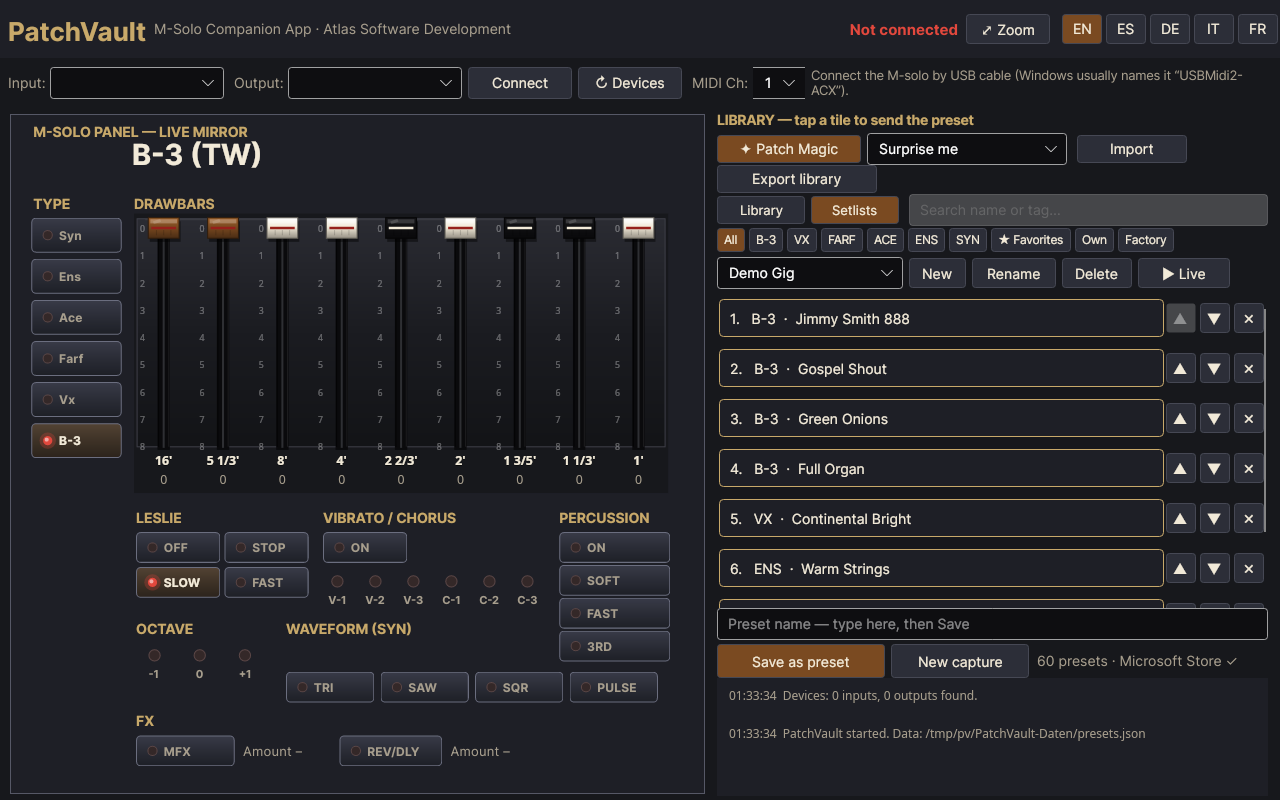
Setlists. Your sounds in playing order for the gig — this demo setlist is built from the factory presets.
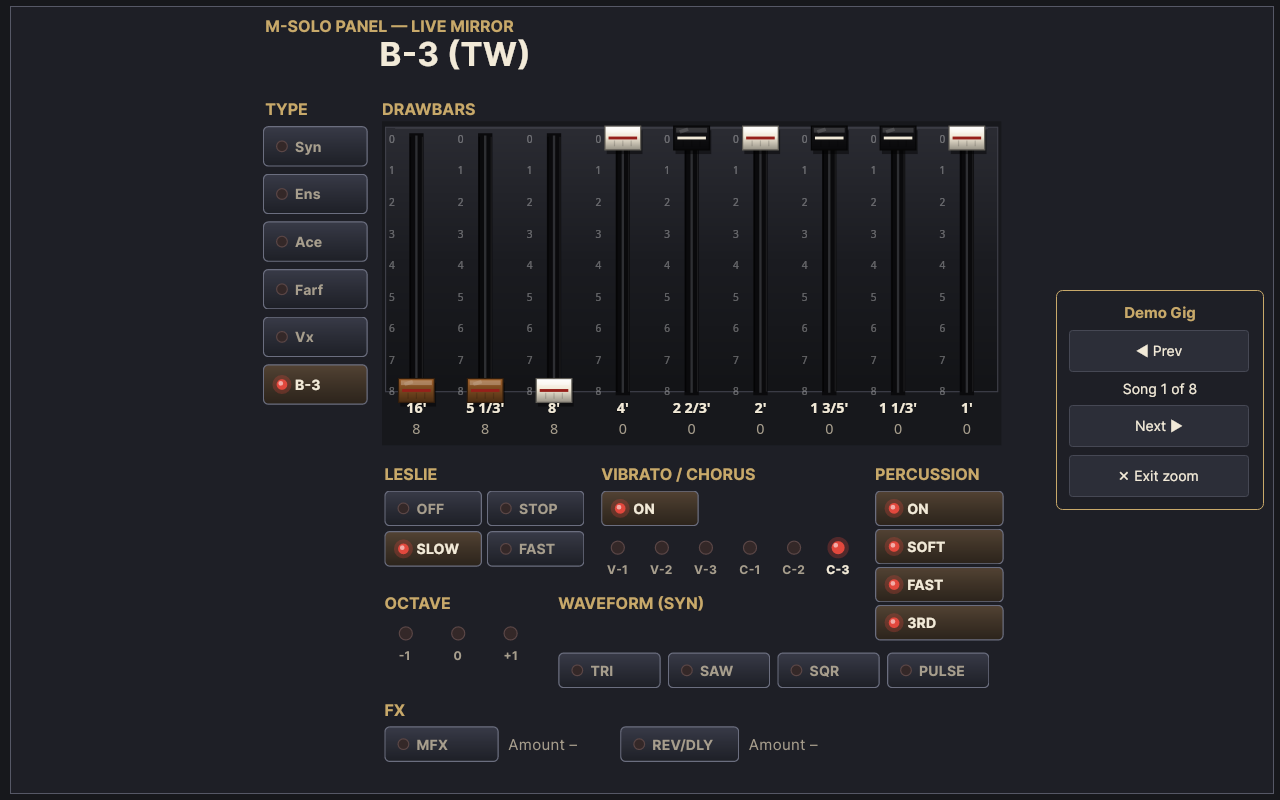
Live mode. The panel zooms to full screen and shows the sound that is playing — step through the setlist with Prev and Next, or with the arrow keys.
The questions every M-solo player runs into — and how PatchVault answers them.
Internally, no — the instrument has exactly 3 patch slots. PatchVault gives it an unlimited external preset library on your computer: every sound you capture stays saved and jumps back to the instrument with one tap.
Connect by USB, switch Generic Control OFF once (four presses), then work the panel in MANUAL mode — PatchVault listens, mirrors every control, and saves the complete sound as a preset when you tap Save. The guide shows it step by step.
An M-solo, a Windows 10/11 PC and a USB cable (USB-B at the instrument). No drivers, no account, no internet — fully offline.
Never. The pedal is not stored and not sent — your foot stays yours. Presets capture the panel: type, drawbars, Leslie, percussion, vibrato and effects.
$24.99 one-time, no subscription. The Microsoft Store offers a 15-day free trial of the full app.
PatchVault solves the one complaint every M-solo owner voices at the counter — three patch slots. A trial edition (connection check plus 5 presets of your own) is available for in-store demonstration, and the app can be offered to your existing M-solo customers as a download.